Preview
Application Screenshots
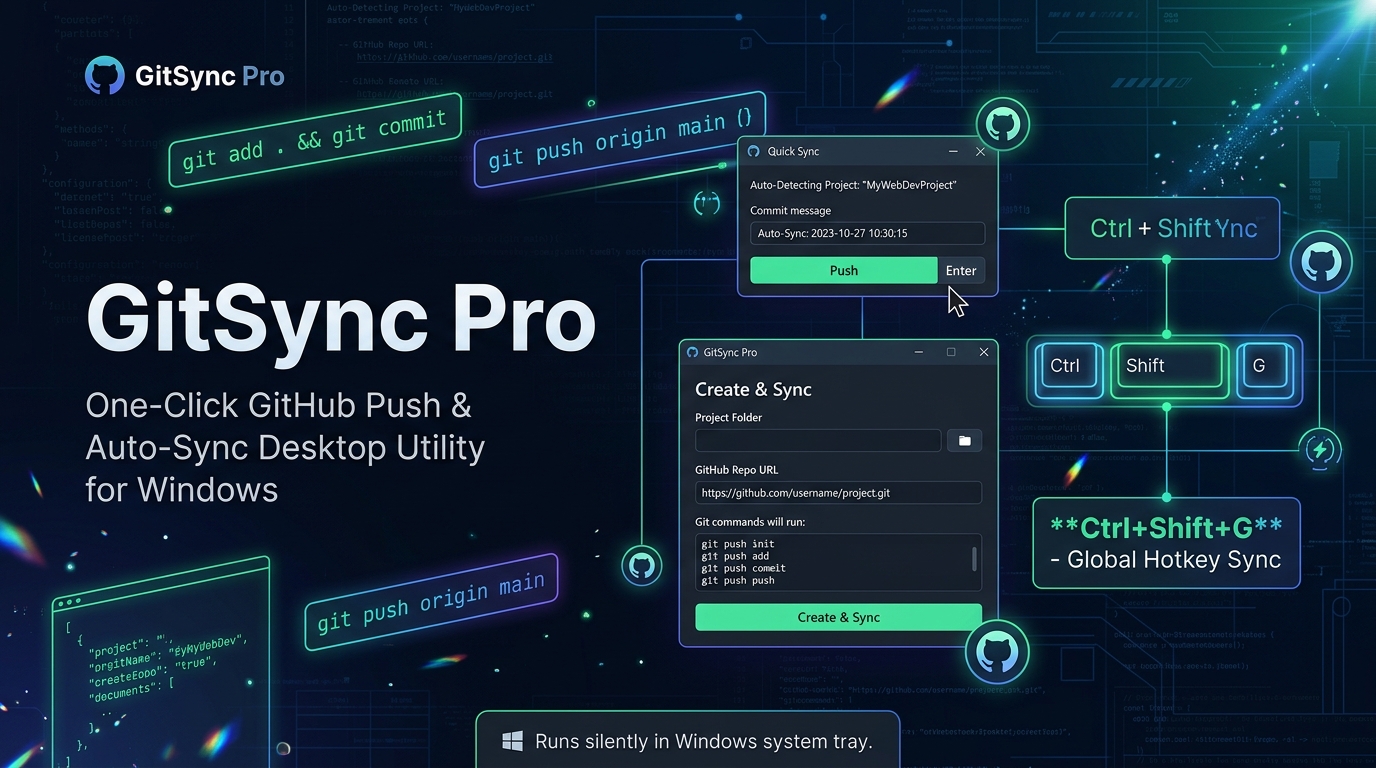
Quick Sync Popup & Create & Sync Panel — Auto-Detects Your Project
Overview
Why GitSync Pro
VERSION V 1.0.0
Available Now
- One-Click Push — the Quick Sync popup auto-detects your project and suggests a commit message; press Enter or click Push to send your changes to GitHub instantly.
- Global Hotkey — Ctrl + Shift + G — open Quick Sync from anywhere in Windows, without switching windows or touching a terminal.
-
Create & Sync Wizard — for brand-new projects, pick a folder and paste your GitHub repo URL; GitSync Pro runs the full
git init, add, commit, and push sequence for you. - Runs Silently in the Tray — GitSync Pro sits in the Windows system tray and stays out of your way until you need to sync.
Working Guide
How to Use GitSync Pro
-
01
Launch & Minimize to TrayOpen GitSync Pro. It drops straight into the Windows system tray and stays running quietly in the background until you need it.
-
02
First-Time Setup with Create & SyncStarting a new project? Right-click the tray icon and choose Create & Sync. Pick your project folder and paste in the GitHub Repo URL.
-
03
Automatic Git SetupGitSync Pro runs the full sequence for you —
git init, adding the remote, staging every file, and creating your first commit and push — so the repo is live on GitHub in one step. -
04
Everyday Syncing with Quick SyncMade changes? Press Ctrl + Shift + G anywhere in Windows, or click the tray icon. Quick Sync auto-detects the active project and pre-fills a timestamped commit message for you.
-
05
Push in One ClickReview or edit the commit message, then click Push or hit Enter. GitSync Pro runs
git add .,git commit, andgit push origin mainin the background. -
06
Back to the TrayClose the popup and GitSync Pro goes right back to waiting quietly in the tray — no terminal needed for your next sync.
Installation
Download for Windows
GitSyncPro.exe is a standalone installer — just download it and run it. Git for Windows must already be installed on your machine, since GitSync Pro drives Git commands under the hood.
GitSyncPro.exe
-
Click the button above to download
GitSyncPro.exeto your computer. -
Double-click the downloaded file to launch it. Windows SmartScreen may show a warning since the app isn't code-signed yet — click More info → Run anyway to continue.
-
GitSync Pro starts and minimizes to your system tray automatically. Right-click the tray icon anytime to open Quick Sync or Create & Sync.
Prerequisite: Git for Windows and a GitHub account (with SSH or a personal
access token configured) must be set up before your first push.